Welcome to another Friday challenge at Digitally Sweet Challenges! This week our theme is Layouts and we give a nice sketch to use as a reference. I love sketch challenges and to see how it can be interpreted so many ways. Our lovely sponsor is Scrappiness Designs.
Here is the layout I created:
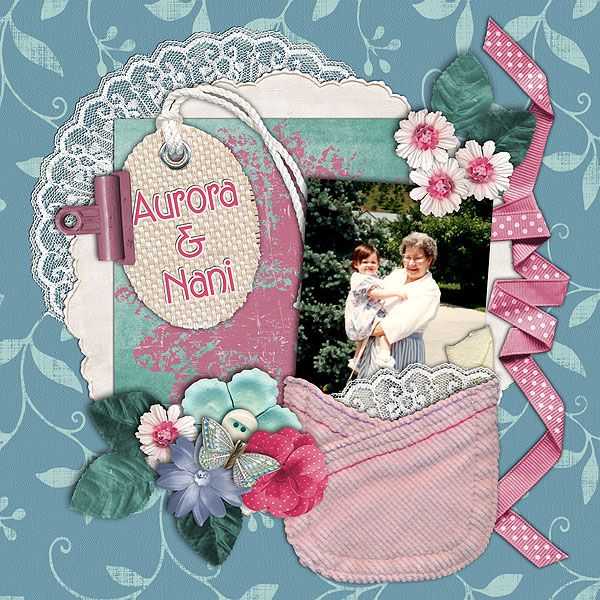
I used the digital scrap kit called "Make Me Smile" from Scrappiness Designs to create this layout of my daughter, Aurora, and her great grandmom whom she called Nani. The pastel colours of this kit really matched the pastel colour in the photo. It was done completely in Photoshop using only the one digi kit.
Thanks so much for visiting my blog and having a look at my DT project. I do hope you will join in the fun for this week's challenge but DON'T forget...all our challenges run to the end of the month and there are 2 other challenges still going and it's not too late to enter our Colour Challenge and Anything Goes challenge too! Best of luck!
Happy Scrapping!
Hugs, Dorothy
Showing posts with label Photoshop. Show all posts
13 February 2015
11 July 2014
DSC #96 - Boys at Play
I know I've been gone a few weeks. Well it's been busy around here with work this week but last week my hubby took an unexpected week off from work. He had no appointments so we did a bit of sightseeing. Wee took a few day trips out and about the UK and it was lovely since the weather was so great. IT was warm and sunny all week! That's kind of a miracle here...lol. This week though...UGH...it's back to rain, wind and chill.
But it's Friday and it's time for my DT project for Digitally Sweet Challenges! Our theme this week is BOys at Play and we are sponsored by Lunagirl Images! I chose a nice vintage image and decided to digital scrap it:
I did this in Photoshop. I used the Lunagirl image of the 3 boys plus bits of a freebie digi scrap kit and some vintage clip art images. Then I used a PS Action for the text. This is a simple layout but I really liked the paper and didn't want to cover it all up yet wanted to showcase the boys' image.
SUPPLIES USED:
3 Boys Image - Lunagirl Images
FTU Digital Scrap Kit - "Waiting For..." by Rucola Designs
Bird & Hand Images - Free Vintage Digi Stamps
Gold Text PS Action - ActionFX (no longer online)
13 June 2014
DSC #92 - Holidays/Vacation
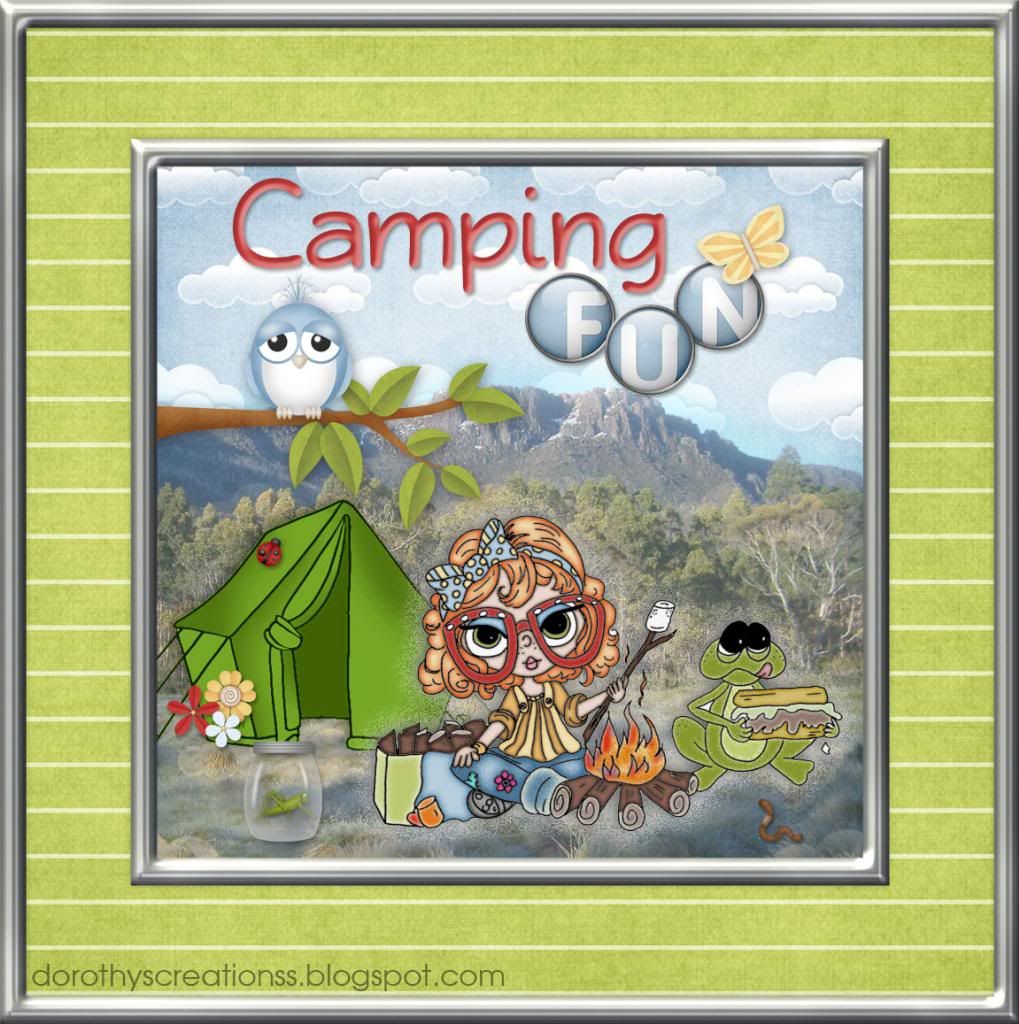
Yep, it's Friday and I'm here with my DT project for this week over at Digitally Sweet Challenges. Our theme was Holidays (UK) or Vacations (US) and we got to choose our own image to work with from our terrific sponsor, Lacy Sunshine Stamps! I've done another digital image this week as my craft room is a bit torn apart. More on that later.
This was completely done in Photoshop. I coloured in the digital image in a couple different ways each section on its own layer. Then to each layer I added an Inner Glow with a little bit of Noise. The colours I used came from the digital scrapbooking kit I used. I found a free clip art image of a tent. The background is a mountain image that I layered over papers from the kit. One paper was a gree/blue gradient then I added the cloud paper underneath and played with the Layer Properties so they blended well. The wording at the top eas done using an alpha that came with the scrap kit for the word "fun." I used the font Qarmic Sans for the word "camping." Al the other bits in the image and the frame are from the scrap kit.
A little about the scrap kit: I have been collecting freebie digital scrap kits since 2007 so you can image how many I have collected over the years. Funny thing is I couldn't find a camping kit so I improvised with this kit. It's no longer available so please do not ask me where it is. What I can tell you is it's called "Discovery" and its designed by Kim Cameron over at Daisies and Dimples. This freebie is a few years old and she has since closed her personal blog...sorry about that dearies.
My poor craft room is a bit blocked off at the moment as we had a water leak in our house. This has been going on awhile and the water company FINALLY came and rerouted the main supply but the pipe had to come in through half of my craft room. It's done now so I hope to be back in there this weekend! Hope so as I have a swap due and I want to do a video of my project. YIKES!
SUPPLIES USED:
Eleanor and Pickles Smores Digi Stamp - Lacy Sunshine Stamps
Free Stock Mountain Image - Photo Everywhere
Free Tent Clipart - Clipart Best
Digital Scrap Kit "Discovery" - Kim Cameron
Font Used "Qarmic Sans" - Font Squirrel
(Click on image to see full size view)
This was completely done in Photoshop. I coloured in the digital image in a couple different ways each section on its own layer. Then to each layer I added an Inner Glow with a little bit of Noise. The colours I used came from the digital scrapbooking kit I used. I found a free clip art image of a tent. The background is a mountain image that I layered over papers from the kit. One paper was a gree/blue gradient then I added the cloud paper underneath and played with the Layer Properties so they blended well. The wording at the top eas done using an alpha that came with the scrap kit for the word "fun." I used the font Qarmic Sans for the word "camping." Al the other bits in the image and the frame are from the scrap kit.
A little about the scrap kit: I have been collecting freebie digital scrap kits since 2007 so you can image how many I have collected over the years. Funny thing is I couldn't find a camping kit so I improvised with this kit. It's no longer available so please do not ask me where it is. What I can tell you is it's called "Discovery" and its designed by Kim Cameron over at Daisies and Dimples. This freebie is a few years old and she has since closed her personal blog...sorry about that dearies.
My poor craft room is a bit blocked off at the moment as we had a water leak in our house. This has been going on awhile and the water company FINALLY came and rerouted the main supply but the pipe had to come in through half of my craft room. It's done now so I hope to be back in there this weekend! Hope so as I have a swap due and I want to do a video of my project. YIKES!
SUPPLIES USED:
Eleanor and Pickles Smores Digi Stamp - Lacy Sunshine Stamps
Free Stock Mountain Image - Photo Everywhere
Free Tent Clipart - Clipart Best
Digital Scrap Kit "Discovery" - Kim Cameron
Font Used "Qarmic Sans" - Font Squirrel
16 May 2014
DSC # 88 Blue & Yellow
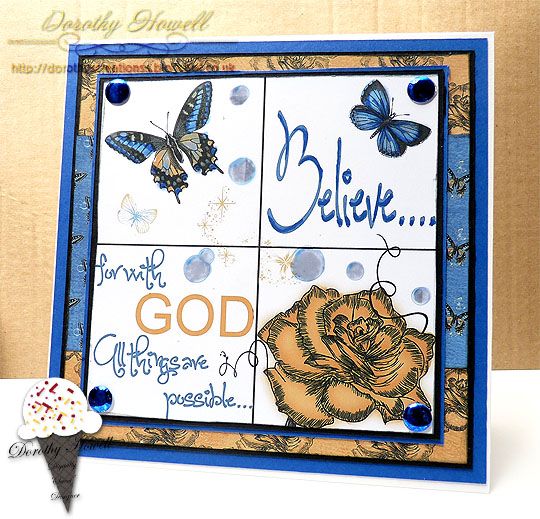
Happy Friday ya'll! That's my Southern coming out in me today...lol. So it's Friday and ya'll know what that means...it's time to show you my Design Team project for Digitally Sweet Challenges! This week's theme for you is Blue & Yellow and the sponsor is Bugaboo Stamps. We got to choose our own image and here's my project:
I made a card this week. I know it's a pretty basic design but I did alot of colourising in Photoshop and with Copics. The whole digi stamp was in black and white but I changed the colour of the text and digitally painted the rose and butterflies. I then used the rose and big butterfly to create matching papers that I printed out as well. I then just edged the papers and stamp with Black Soot Distress Ink and did lots of matting and layers in black and royal blue card. I used a Copic marker to change the colour of the Card Candy and added to the corners. My final touch was a bit of a fail that looks a little better in person is I added Pinflair Glaze to the bubbles in the digi stamp. The glaze absorbed into the paper too much and stained but it is really glossy when you see it live. Ah well.
One thing I am loving and that's my Perfect Layers rulers to created nice even layers. I got the full sized ones so I could use them on bigger projects as well as cards. LOVE LOVE LOVE! Get yourself some if you are "straight line challenged" like me...lol. I can't cut a straight line to save my life, even with a paper trimmer...even with a guillotine! Someone at one time must have told me to "get bent" and boy I sure did...LOLOLOL.
SUPPLIES USED:
Bugaboo Stamps - Image name 4 square Beleive (link goes right to image I used)
Blue Cardstock - From stash
Black Cardstock - 12" x 12" from Papermill Direct
Backing papers - created by me in PS CS3 using the digistamp
Copic Ciao Markers - B29 Ultramarine, B24 Sky, YR23 Yellow Ochre & YR17 Golden Yellow
Craftworks Card Candi - in silver
Pinflair Craft Glaze
Distress Ink - Black Soot
CHALLENGES ENTERED:
Dream Valley Challenges - Anything Goes
Scribble and Scrap Challenge - Anything Goes
Through the Purple Haze - Anything Goes for a Male
Crafty Boots Challenge - Blue & White
Ooh La La Creations Challenge - Quotations
Just Inspirational Challenges - Anything Goes
Crafting for All Seasons - Things with Wings
I made a card this week. I know it's a pretty basic design but I did alot of colourising in Photoshop and with Copics. The whole digi stamp was in black and white but I changed the colour of the text and digitally painted the rose and butterflies. I then used the rose and big butterfly to create matching papers that I printed out as well. I then just edged the papers and stamp with Black Soot Distress Ink and did lots of matting and layers in black and royal blue card. I used a Copic marker to change the colour of the Card Candy and added to the corners. My final touch was a bit of a fail that looks a little better in person is I added Pinflair Glaze to the bubbles in the digi stamp. The glaze absorbed into the paper too much and stained but it is really glossy when you see it live. Ah well.
One thing I am loving and that's my Perfect Layers rulers to created nice even layers. I got the full sized ones so I could use them on bigger projects as well as cards. LOVE LOVE LOVE! Get yourself some if you are "straight line challenged" like me...lol. I can't cut a straight line to save my life, even with a paper trimmer...even with a guillotine! Someone at one time must have told me to "get bent" and boy I sure did...LOLOLOL.
SUPPLIES USED:
Bugaboo Stamps - Image name 4 square Beleive (link goes right to image I used)
Blue Cardstock - From stash
Black Cardstock - 12" x 12" from Papermill Direct
Backing papers - created by me in PS CS3 using the digistamp
Copic Ciao Markers - B29 Ultramarine, B24 Sky, YR23 Yellow Ochre & YR17 Golden Yellow
Craftworks Card Candi - in silver
Pinflair Craft Glaze
Distress Ink - Black Soot
CHALLENGES ENTERED:
Dream Valley Challenges - Anything Goes
Scribble and Scrap Challenge - Anything Goes
Through the Purple Haze - Anything Goes for a Male
Crafty Boots Challenge - Blue & White
Ooh La La Creations Challenge - Quotations
Just Inspirational Challenges - Anything Goes
Crafting for All Seasons - Things with Wings
18 April 2014
DSC # 84 - Digital Inspiration
As you've noticed, I've not been around for a couple weeks...not my fault...really it's not! LOL To be honest, I had to go into the hospital for a few day as I had a mini stroke. My left side went tingly and numb so I went to the emergency room. After a whole lotta tests, they confirmed a slight stroke.
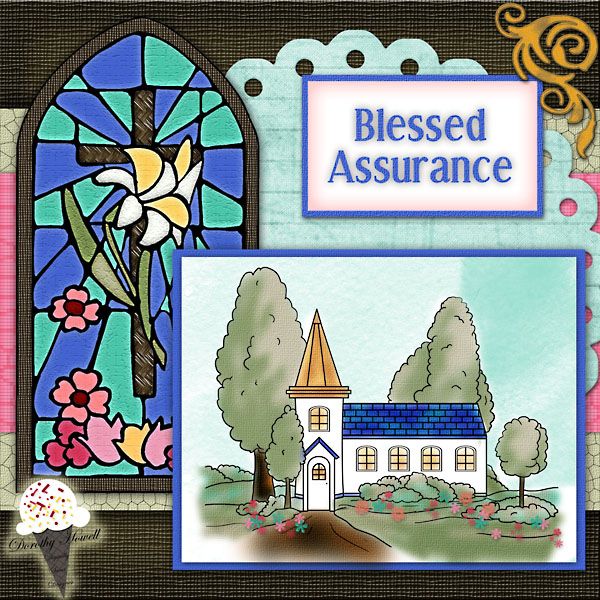
No worries though. I am doing fine with very little lasting effects. I've not done much crafting since I've been home as I'm taking it easy. But I did get to sit at the computer and create my DT sample for this week's challenge over at Digitally Sweet Challeges. This week we worked with an image from our sponsor, Limited Runs Digi Stamps, and an inpirational image.
This week is a digital card front for Easter I created in Photoshop. The church digi stamp is from Limited Runs and the colours I used were from the inspirational image. I painted the church image and stained glass window in PS and added all kinds of textures. Thanks for having a look!
SUPPLIES USED:
Photoshop CS3
Limited Runs Digi Stamps - Church image
Stanied glass line art from web
Font - Effloresce
Other Elements creted by me in PS
No worries though. I am doing fine with very little lasting effects. I've not done much crafting since I've been home as I'm taking it easy. But I did get to sit at the computer and create my DT sample for this week's challenge over at Digitally Sweet Challeges. This week we worked with an image from our sponsor, Limited Runs Digi Stamps, and an inpirational image.
This week is a digital card front for Easter I created in Photoshop. The church digi stamp is from Limited Runs and the colours I used were from the inspirational image. I painted the church image and stained glass window in PS and added all kinds of textures. Thanks for having a look!
SUPPLIES USED:
Photoshop CS3
Limited Runs Digi Stamps - Church image
Stanied glass line art from web
Font - Effloresce
Other Elements creted by me in PS
Subscribe to:
Posts (Atom)